gdeac.comHome NavigationNavigation
Home >  News >  Fast Travel Guide for Dynasty Warriors Origins

Fast Travel Guide for Dynasty Warriors Origins

Author : Gabriel Update:Apr 17,2025

In Dynasty Warriors: Origins, although the game is not open-world, it features a sizable world map that expands as you progress through the main storyline. Initially, the explorable area is quite manageable, but as more provinces unlock, navigating the map can become a time-consuming challenge. This issue is exacerbated by the constant unlocking of new skirmishes and requests that often necessitate backtracking across vast sections of the map. Fortunately, mastering the art of fast travel can significantly streamline your journey, especially if you're aiming to complete all the side content the game offers.

How to Fast Travel in Dynasty Warriors: Origins
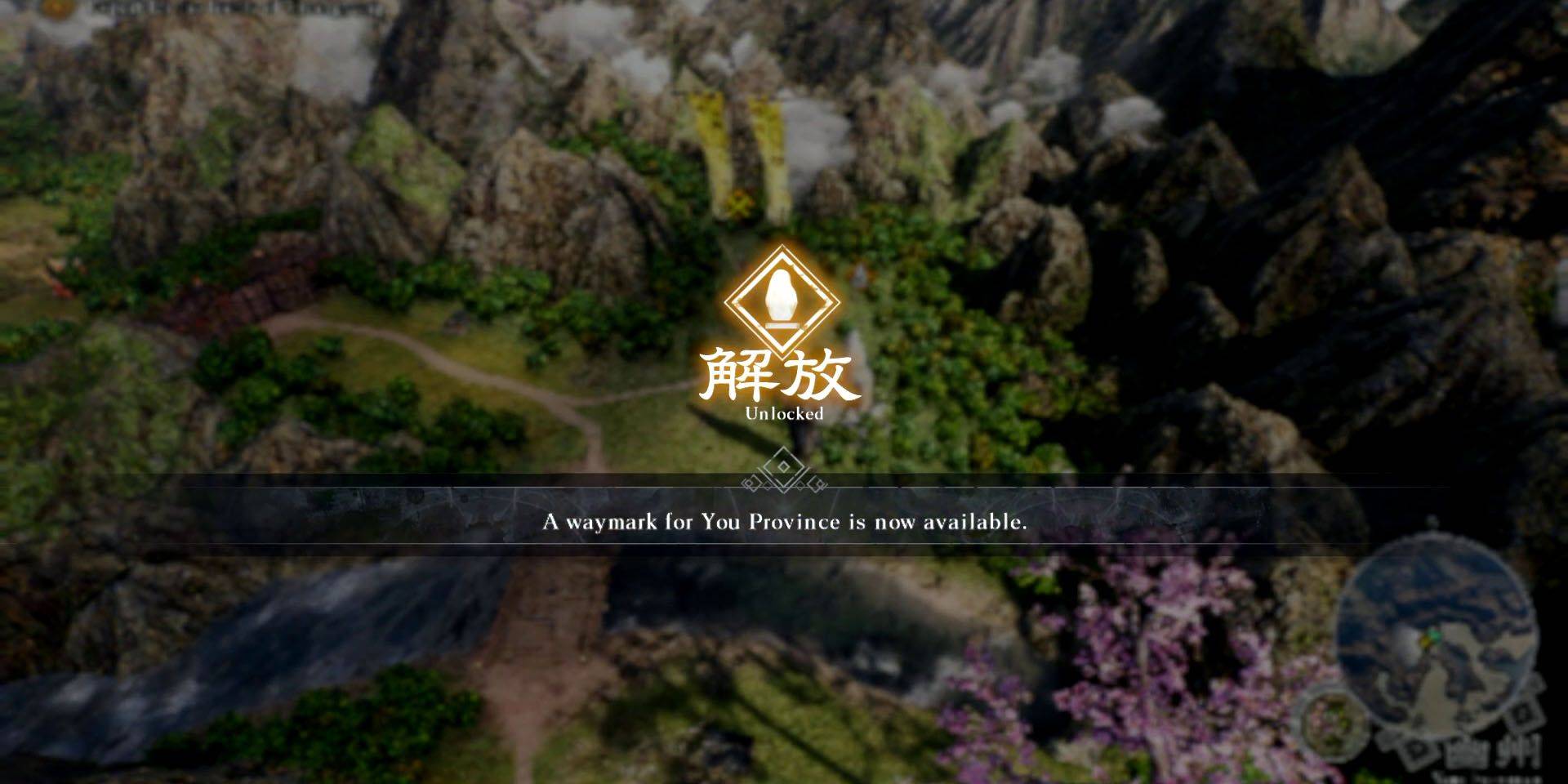
Dynasty Warriors: Origins Fast Travel Guide

In Dynasty Warriors: Origins, fast travel is facilitated through Waymarks, which you can access via the Map screen. To unlock a Waymark, simply approach it on the world map and press and hold the X button if you're on PlayStation, or the A button if you're playing on Xbox. Once a Waymark is unlocked, it will become visible on your map, allowing you to fast travel to it at your convenience.
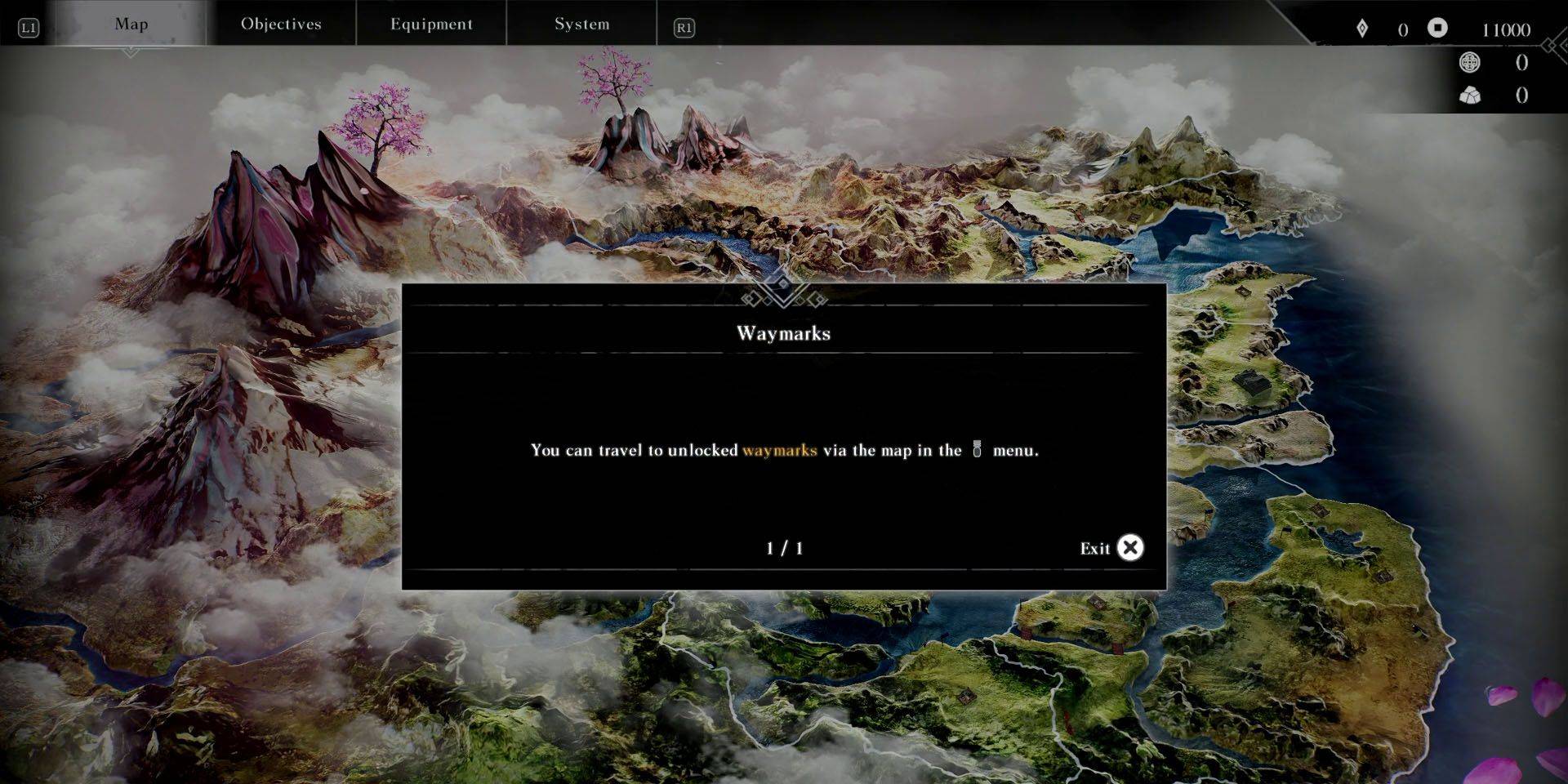
Navigating the Map in Dynasty Warriors: Origins

To open the map, interact with an unlocked Waymark directly on the world map or pause the game and use the shoulder buttons to navigate to the Map menu. PlayStation users can expedite this process by pressing the DualSense touchpad while on the world map, saving precious seconds in the process.
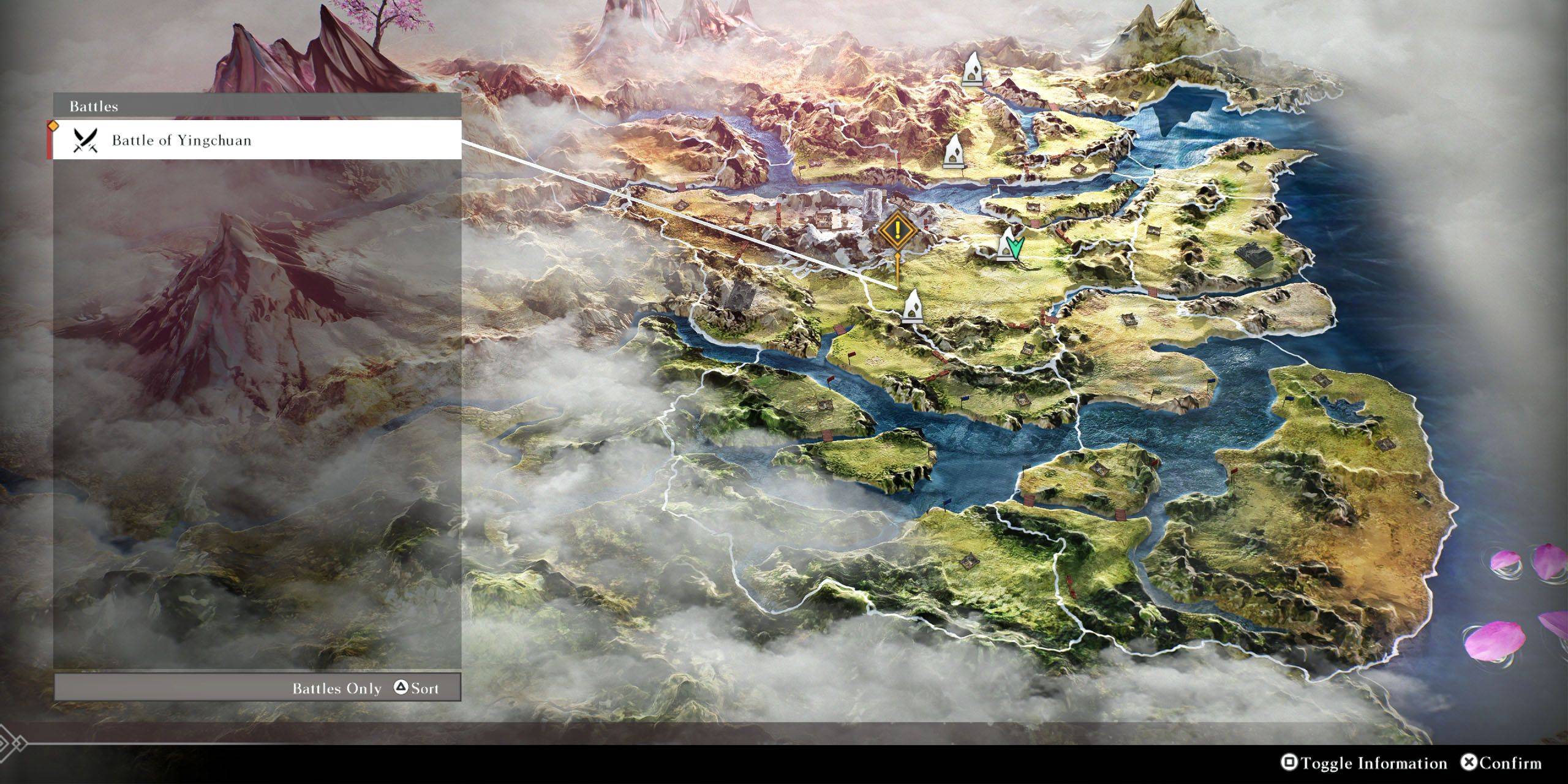
Locating Battles and Key Locations in Dynasty Warriors: Origins

Once you're on the map screen, you can hover over an unlocked Waymark to view any nearby key locations or battles. If you're searching for a specific battle or location, press the Square button on PlayStation or the X button on Xbox to toggle relevant information. Then, use the Triangle button on PlayStation or the Y button on Xbox to cycle through a list of available battles and locations. Select the one you're interested in, and the cursor will move to the nearest Waymark, making your travel as efficient as possible.

Latest Articles
  • Puppy Champs: Adorable Pups Score Big in Puzzle Game

    ​ Puppy Champs is a soccer-themed puzzle game, now available on mobile Guide your team strategically through a grid-based challenge Aim for the perfect goal while evading rival players

    Author : Eleanor View All

  • Beginner’s Guide to The Tower – Idle Defense

    ​ The Tower - Idle Tower Defense presents a minimalist yet surprisingly deep idle strategy experience where players construct a solitary fortified tower to repel infinite enemy assaults. Blending incremental mechanics with classic tower defense, it rem

    Author : Allison View All

  • Wittle Defender Mixes Tower Defense, Roguelike & Cards

    ​ Habby has unveiled its latest mobile game offering - Wittle Defender. Following successful titles like Archero and Capybara Go!, the studio presents this innovative blend of tower defense mechanics with roguelike progression and card-based strategy.S

    Author : Eric View All

Topics
Top Arcade Classics and New Hits
Top Arcade Classics and New HitsTOP

Dive into the world of arcade gaming with our curated collection of classic and new hits! Experience the thrill of retro gameplay with titles like Clone Cars and Brick Breaker - Balls vs Block, or discover innovative new experiences with Fancade, Polysphere, and Riot Squid. Whether you're a fan of puzzle games (Screw Pin Puzzle 3D), action-packed adventures (Rope-Man Run, SwordSlash), or competitive multiplayer (1-2-3-4 Player Ping Pong), this collection has something for everyone. Explore the best in arcade gaming with Tolf and many more exciting apps. Download Clone Cars, Fancade, 1-2-3-4 Player Ping Pong, Brick Breaker - Balls vs Block, Polysphere, Riot Squid, Tolf, Rope-Man Run, SwordSlash, and Screw Pin Puzzle 3D today!